
RT-eDiary
Your private locker for diary, hisaab, passwords and documents.
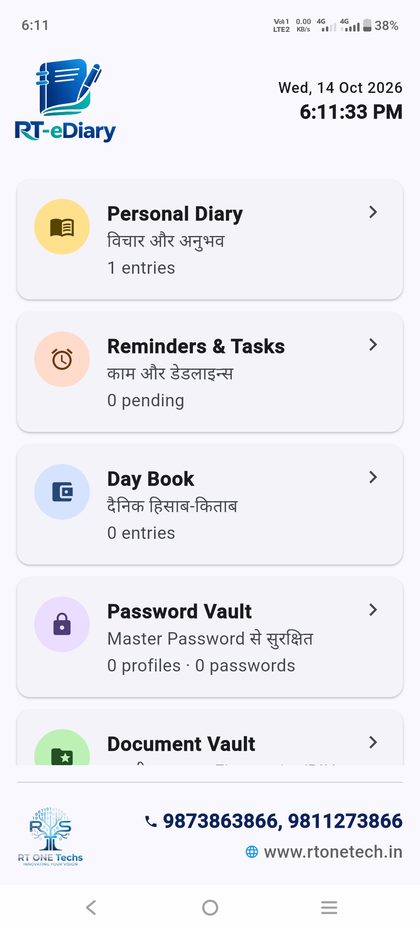
One Android app that opens only with your phone lock or fingerprint. Write your diary, keep your day book, set reminders, store passwords and scan documents. Everything stays on your phone, with backup to your own Google Drive.
Write it, say it, or record it.
Every entry is saved with date and time. Format your text, speak to type with your keyboard mic, or record a voice note.
- Bold, italic, underline and colour, with undo and redo
- Voice note: record up to 10 minutes in one recording
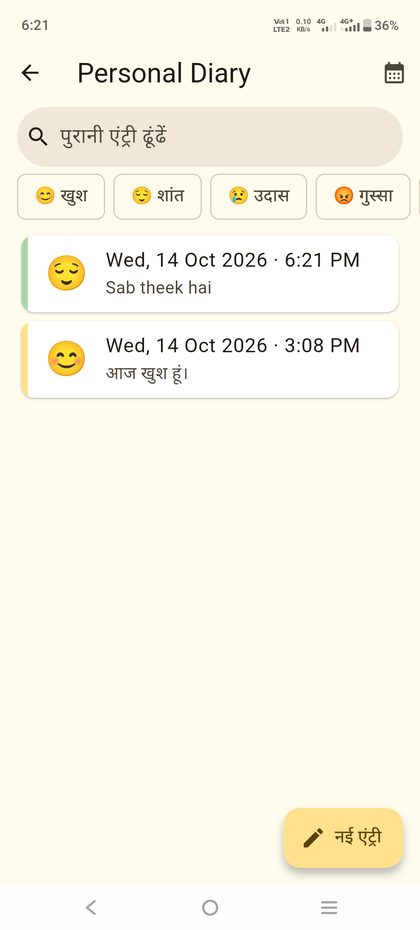
- Mood is picked from your words, like khush, dukh or happy. Tap to change it
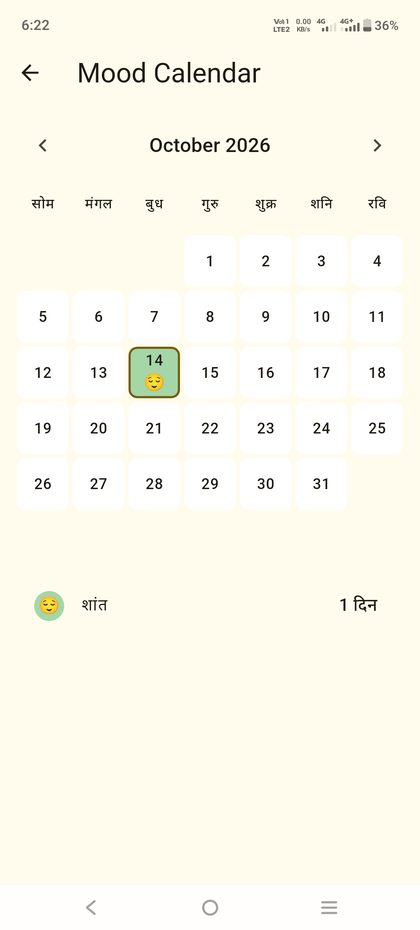
- Mood Calendar shows how your month went
- Search old entries or filter by mood
Mood is worked out on your phone. Your diary text is not sent to any AI or server.
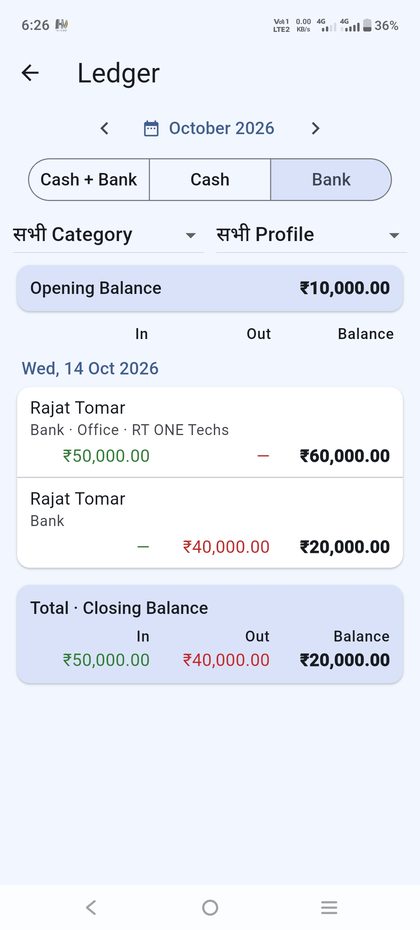
Your daily hisaab, cash and bank.
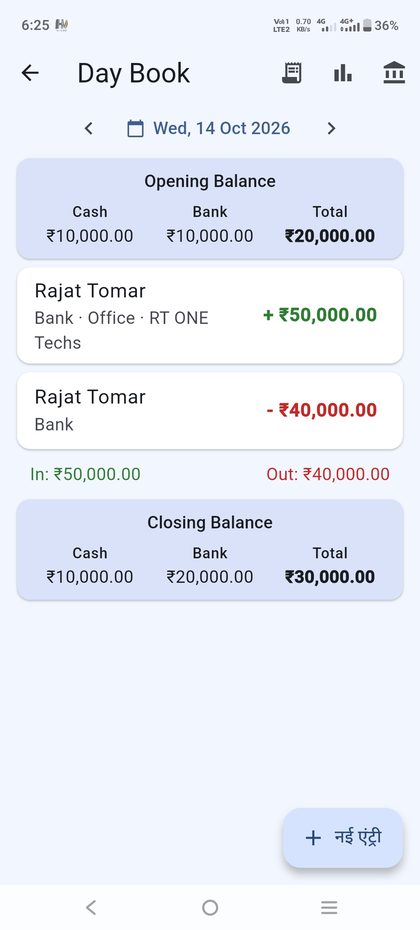
Note every rupee that comes in and goes out, with the party name. Opening and closing balance are always in front of you.
- One cash account and one bank account with live balance
- In and Out entries with a note on who paid or who received
- Monthly ledger with cash, bank, category and profile filters
- Export to Excel
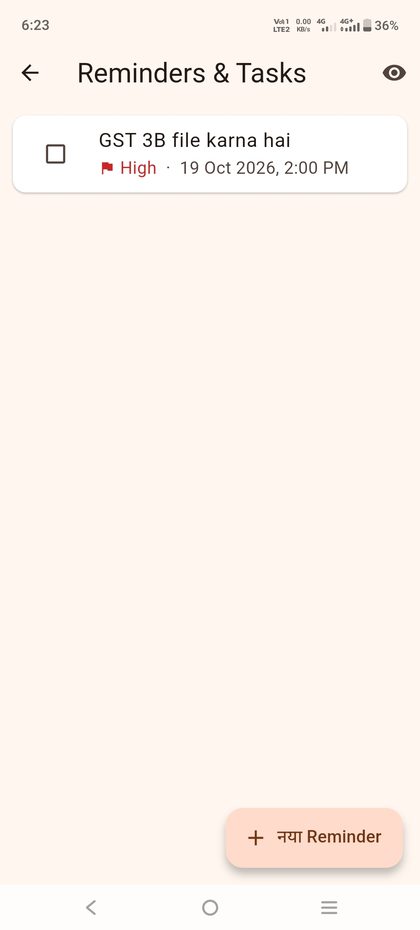
Do not forget the date that matters.
Set a task with a date and time, give it a priority, and let it repeat when it is a regular job.
- Low, medium and high priority
- Repeat monthly, quarterly or yearly, for rent, EMI, insurance and renewals
- Reminder alert at the time you choose
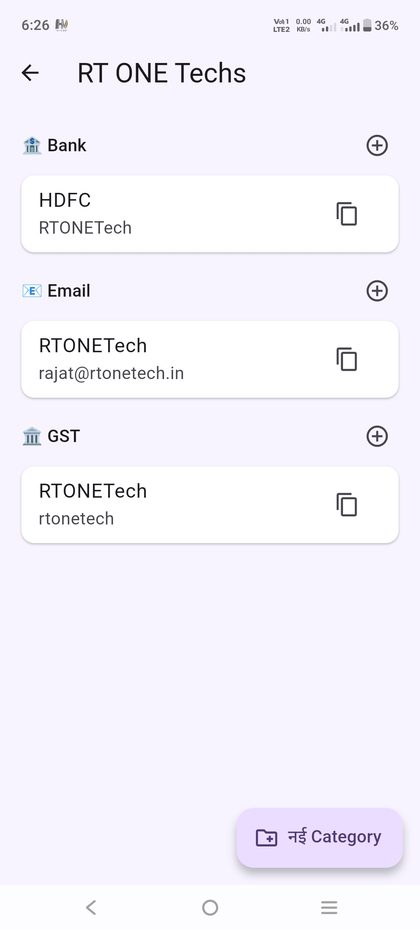
Set it as your password manager.
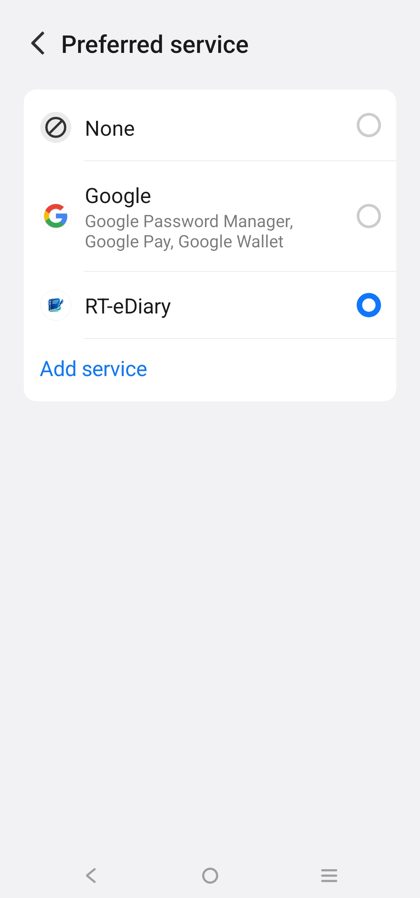
Keep logins in profiles and categories like bank, social, email and tax. Add as many lines as you need, for example a transaction password or debit PIN. Turn on RT-eDiary as the autofill service and it fills and saves logins in apps and Chrome.
- Passwords are stored encrypted and unlock with your Master Password
- Built-in strong password generator
- When you log in somewhere new, Android asks to save it to RT-eDiary. One tap and it lands in your vault
- The app has a button to set RT-eDiary as the default password manager
Keep important papers off your gallery.
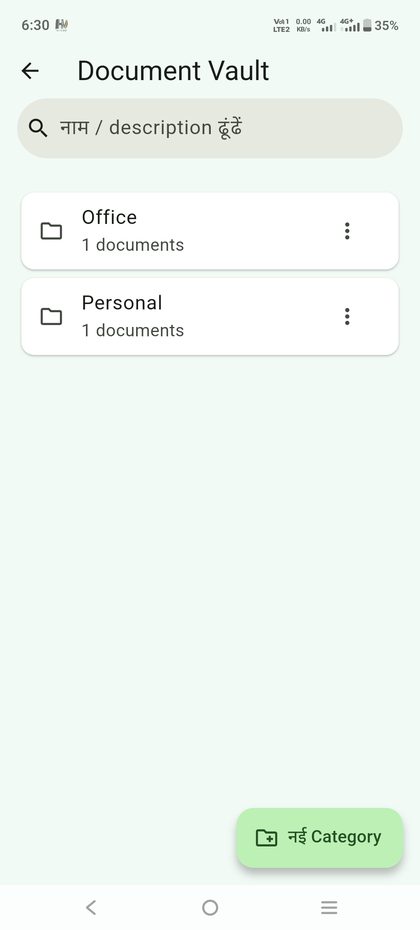
Store rent agreements, ID proofs and bills category by category. Pick a file or scan with the camera. Saved documents do not show up in your gallery or file manager.
- Categories with a one line description for every item
- Search by name or description
- After importing, choose to delete the original file
- Opens only after your phone lock or fingerprint